

Other Actions for Sales Receipts

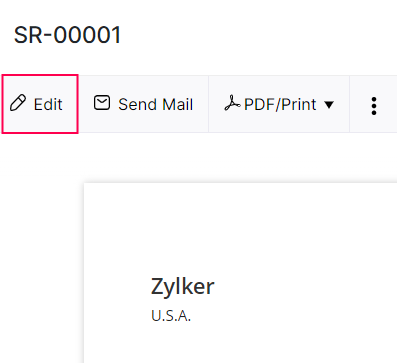
Edit Sales Receipt
Go to Sales module and click Sales Receipts from the left sidebar.
Select the sales receipt whose details you want to edit.
Click Edit on top of the receipt.
Make the necessary changes and click Save.
Delete Sales Receipt
Go to Sales from the left sidebar and click Sales Receipts.
Select the sales receipt which you want to delete.
Click the More icon and select Delete.
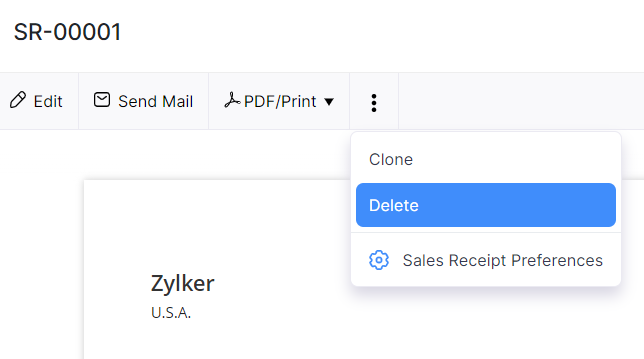
Click Delete again in the following pop-up to confirm.
Print Sales Receipt
Go to Sales Receipts module from the left sidebar.
Select the sales receipt which you want to print.
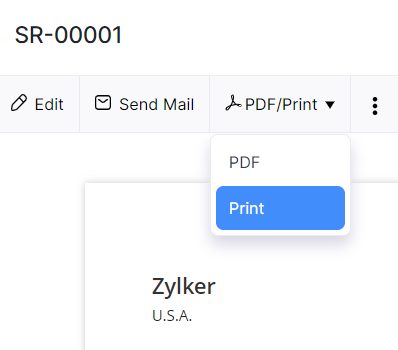
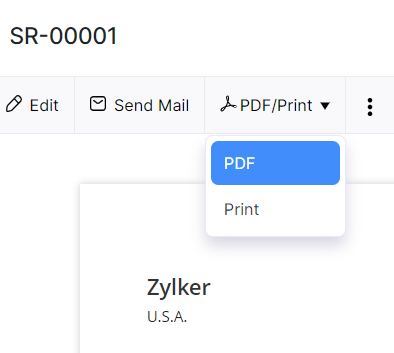
Click the PDF / Print dropdown and select Print.
Check the sales receipt preview and select Print.
Download As PDF
Go to Sales Receipts from the left sidebar.
Select the sales receipt which you want to download as PDF.
Click the PDF / Print dropdown and select PDF.
The sales receipt will be downloaded as a PDF.


Ask Zia is powered by AI. Responses are helpful but not always perfect.
 Yes
No
Yes
No
Thank you for your feedback!